Fleet tracking is a system that uses GPS devices, telematics, and cloud software to monitor commercial vehicles and mobile assets. It helps fleet managers see vehicle locations, review routes, track driver activity, reduce operating costs, schedule maintenance, and respond faster to delays, safety events, or unauthorized vehicle use.
It gives businesses a central view of their trucks, vans, trailers, equipment, and drivers. A tracking device collects location and vehicle data, then sends it to an online dashboard. Managers use that information to improve dispatching, safety, productivity, maintenance, and daily fleet control.
Businesses may also refer to it as GPS fleet tracking, commercial vehicle tracking, automatic vehicle location, or fleet monitoring. Although the terms differ, the basic purpose remains the same.
A fleet tracking system helps a company answer practical questions:
Modern platforms do much more than show dots on a map. They can connect vehicle location with engine data, driver behavior, fuel use, maintenance records, dash camera footage, and delivery activity.
| Question | Quick answer |
|---|---|
| What does fleet tracking monitor? | Vehicles, trailers, equipment, routes, speed, stops, and driving activity |
| How does it collect data? | Through GPS receivers, telematics devices, and onboard sensors |
| Where can managers view the data? | In a cloud dashboard or mobile application |
| Who uses it? | Trucking, delivery, construction, field service, logistics, and public fleets |
| What is the main benefit? | Better visibility and control over fleet operations |
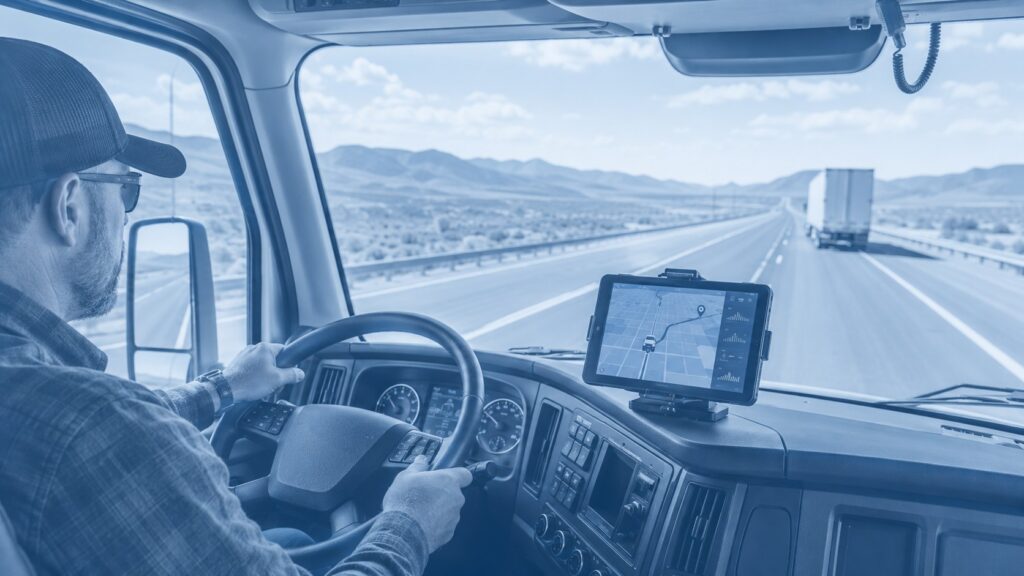
Fleet tracking starts with a device installed in or attached to a vehicle. GPS satellites help the device calculate its location. The device then sends location and vehicle data through a cellular network to cloud software, where fleet managers and dispatchers can review it in near real time.
The process usually follows four steps:
For a broader explanation of how GPS data supports daily operations, see GPS vehicle tracking and fleet management.
A fleet tracking system can collect much more than a vehicle’s current location. The exact data depends on the hardware, sensors, vehicle connection, and software plan. Advanced platforms combine GPS data with engine diagnostics, driver activity, geofences, video events, and maintenance records.
Common data points include:
Managers do not need to watch every vehicle all day. A good system uses alerts and reports to highlight events that require attention.
For example, the platform can notify a manager when a truck leaves an approved area, remains idle for too long, exceeds a speed limit, or reaches a scheduled maintenance interval.
Fleet tracking helps businesses replace guesswork with accurate operating data. Companies use it to improve dispatching, reduce unnecessary mileage, control idle time, protect vehicles, support safer driving, plan maintenance, and give customers more accurate arrival information.
The value comes from what managers do with the data. A business will not save money simply by installing a tracking device. Managers must review reports, respond to alerts, and correct repeated problems.
Fleet tracking helps dispatchers see which vehicle is closest to a job, which driver faces a delay, and which route may cause problems. This visibility reduces unnecessary calls between the office and drivers and helps teams react faster.
Better dispatching can help a business:
This matters in trucking, delivery, roadside service, construction, utilities, and other industries where timing affects revenue and customer satisfaction.
Fleet tracking can reveal patterns that increase fuel, labor, and maintenance expenses. Managers can identify excessive idling, inefficient routes, unauthorized trips, speeding, and vehicles that need service.
A fleet tracking system may help reduce:
The software does not automatically create savings. Managers must set realistic targets and use the reports to improve behavior and processes.
For a closer look at hardware, subscriptions, installation, and other expenses, see our guide to fleet tracking cost.
Fleet tracking can record speeding, rapid acceleration, harsh braking, sharp turns, and other driving events. Managers can use those records to identify patterns and give drivers focused coaching based on real events.
Some platforms also connect with road-facing and driver-facing cameras. When a system links video to a tracking event, managers gain more context.
A harsh braking alert alone cannot explain why a driver stopped suddenly. Video may show that another vehicle entered the lane without warning. This context helps managers coach drivers fairly and protect them from false claims.
Learn more about combining location data and video in our guide to a vehicle tracking and camera system.
Fleet operators should also review current transportation safety information and official resources from the U.S. Department of Transportation.
Fleet tracking focuses mainly on vehicle location and activity. Telematics refers to the technology that collects and transmits GPS, engine, and driver data. Fleet management encompasses the broader process of managing vehicles, drivers, maintenance, fuel, safety, compliance, costs, and productivity.
| Term | Meaning |
|---|---|
| Fleet tracking | Monitors vehicle and asset location, movement, and activity |
| Telematics | Collects and transmits GPS, engine, sensor, and driver data |
| Fleet management | Uses people, policies, software, and data to operate the entire fleet |
| Asset tracking | Monitors trailers, equipment, containers, and other mobile assets |
| Geofencing | Creates virtual boundaries and sends entry or exit alerts |
Fleet tracking forms one part of fleet management.
A complete fleet management platform may also include:
Any business that operates several vehicles or mobile assets can use fleet tracking. The technology works for small service companies with a few vans and national carriers with thousands of trucks. Each company may use the same system to solve different operating problems.
Common users include:
A delivery company may focus on arrival times and route efficiency. A construction company may track heavy equipment and prevent unauthorized movement. A long-haul carrier may prioritize vehicle location, driver safety, maintenance, and compliance.
Choose fleet tracking software based on the problems you need to solve. A small service fleet may only require live maps, geofences, and maintenance alerts. A trucking operation may need ELD integration, dash cameras, fuel reporting, route history, and detailed driver safety analytics.
Useful features include:
The platform should also make information easy to understand. A long list of advanced features adds little value when managers cannot find reports or configure useful alerts.
No. Small fleets often gain significant value because every vehicle plays an important role in daily revenue. A company with five vans can still lose money through poor routing, unauthorized use, excessive idling, missed maintenance, and weak customer communication.
Small businesses can use fleet tracking to answer questions such as:
A small fleet may not need a complex enterprise platform. It can still benefit from accurate location data, simple reports, maintenance reminders, and useful alerts.
Fleet tracking monitors vehicle activity that may relate to driver performance, including speed, routes, braking, idling, and stop times. Companies should explain what the system collects, why it is collected, who can access the information, and how managers will use it.
A clear policy helps drivers understand that tracking can support:
Managers should use the data fairly and focus on measurable behavior rather than assumptions.
Most modern fleet tracking systems provide near-real-time updates via cellular networks. The update frequency depends on the device, service plan, network coverage, and software settings.
Some systems update every few seconds. Others send data every minute or after a specific event. Asset trackers may report less often to preserve battery life.
When a vehicle enters an area with weak cellular coverage, the device may store the data and upload it once the connection is restored.
Yes. Businesses can attach battery-powered or hardwired trackers to trailers, containers, generators, heavy equipment, and other mobile assets.
Asset tracking helps companies:
Asset trackers may send updates less frequently than vehicle trackers because many rely on internal batteries.
Most providers charge a monthly subscription for cellular connectivity, software access, data storage, reports, alerts, and customer support. Some companies also charge for hardware, activation, installation, video storage, or optional integrations.
The total cost may depend on:
Businesses should compare the full first-year cost, not only the advertised monthly fee.
Active tracking sends location data to the platform regularly through a network connection. Passive tracking stores information on the device for later retrieval or upload.
Many modern tracking devices combine both methods.
For example, a device may send live data while cellular coverage remains available. If the connection drops, it stores the trip information and uploads it after the signal returns.
Active tracking works best when managers need live visibility and immediate alerts. Passive tracking may suit operations that only need historical trip records.
Fleet tracking is worth considering when poor visibility causes delays, fuel waste, weak dispatching, maintenance problems, unauthorized use, or customer complaints. It gives managers a clearer picture of fleet activity and helps them respond to problems faster.
The strongest results come from a simple process:
Fleet tracking should help the business make better decisions. It should not become another dashboard that nobody uses.
Fleet tracking uses GPS devices and online software to show where commercial vehicles and assets are, where they have traveled, and how people use them. Businesses use this information to manage routes, drivers, safety, maintenance, fuel, and customer service.
A GPS device calculates a vehicle’s location and sends that information to cloud software through a cellular network. Fleet managers can then view vehicle positions, route history, speed, stops, alerts, and other data through a web dashboard or mobile application.
Yes. Fleet tracking can identify excessive idling, speeding, inefficient routes, unnecessary mileage, and unauthorized trips. Managers can use those insights to improve driver habits and reduce avoidable fuel use.
Yes. Dispatchers can provide more accurate arrival times, respond faster to delays, verify completed visits, and give customers clearer updates based on live vehicle information.
Yes. Small businesses can use fleet tracking to improve scheduling, reduce fuel waste, monitor unauthorized use, plan maintenance, and provide better customer updates. Even a fleet with only a few vehicles can benefit.